I went to the SDCUE 2012
(San Diego Computer-Using Educators)
and learned a lot of new technology ideas to use in the classroom. I have heard of some and used a few as well. I will post them all.
Award Reading
I already use this AMAZING reading program in my classroom and highly recommend it!
At AWARD Reading Online, you will find hundreds of pre-K-3 interactive resources. Carefully scaffolded skills activities in the five key areas of reading ensure that all students master the essentials of reading. Covering five grades, with 300 texts and over 800 learning skills activities, and teaching resources to lead you through the program, AWARD can be used in the classroom and in the home—all you need is an internet connection.
This is just one part of Award Reading: Funways Learning Center
My kiddos LOVE Lettergetter! He is the adorable character used in the books and online stories.
 Scholastic Character Scrap Book
This is a reader's response activity that encourages kiddos to analyze the characters in any book.
Story Jumpers
StoryJumper is an online tool that makes creative writing fun for kids.
Using the interactive workbook and lesson plans, you can spark students' interest in developing and writing complete stories.
Kids can then put their creativity and project skills to work in crafting their very own professionally published hard-back books!

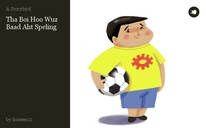
 Story Birds
Storybirds are short, art-inspired stories you make to share, read, and print.
Read them like books, play them like games, and send them like greeting cards.
By awc123By lioness22
Wordle
I LOVE using Wordle!
Wordle is a toy for generating “word clouds” from text that you provide. I use it every year for the cover of my memory books and have students answer questions about themselves.


Quizlet
This is a great site that helps kiddos study subjects. I will use it to create flashcards with the sight words.
Voki
Kiddos can create speaking avatars and use them as effective learning tools. Their avatar can be posted on a blog or website.
Take a look at what teachers and students are saying about Voki and Voki Classroom!
Click on a Voki video to open it in a new window. ( more)
|
Kidblog is designed for K-12 teachers who want to provide each student with an individual blog. Students publish posts and participate in academic discussions within a secure classroom blogging community. Teachers maintain complete control over student blogs and user accounts.
Wiki Spaces
A wiki is a space on the Web where you can share work and ideas, pictures and links, videos and media — and anything else you can think of. Wikispaces is special because we give you a visual editor and a bunch of other tools to make sharing all kinds of content as easy for students as it is for their teachers.
My kiddos love this site! We use it everyday during transitions. We look at the picture of the day or interesting facts or videos.
Smithsonian Kids
From Art to Zoo, the Smithsonian has something to interest kids and students of all ages. Begin your Smithsonian adventure by visiting some of the websites below.
A place for Kids to explore discover and learn!
Check out fun stuff to explore and do online!
See all there is to do when you visit one of the museums or the National Zoo!
13.
Edmodo
Edmodo provides a safe and easy way for your class to connect and collaborate, share content, and access homework, grades and school notices. You can use it to gather resources and put it in groups.
Garage Band
Garage band allows you to make, create, record, mix, master, share and learn to play music.
Students can write their own songs and use Garage Band to publish.
KidPix (this cost money)
Kiddos create stories by inserting images and text.

Glogster is a social network that allows users to create free interactive posters, or Glogs. A "Glog", short for "graphics blog", is an interactive multimedia image. It looks like a poster, but readers can interact with the content.
Symbaloo
Symbaloo is a great site that organizes apps.
See a great example at: Symbaloo.com/mix/ipodappsklanguagearts


 What is this a picture of?
 Huge balloons are a special part of the Macy’s Thanksgiving Day Parade in New York City. Many of the balloons are shaped like famous cartoon characters, such as Elmo, Spiderman, and Ronald McDonald. The balloons are inflated the night before with helium, which makes them float. It takes a car and many people to hold on to the ropes that are attached to the balloons so that they don't fly away.